Answer every customer on time.
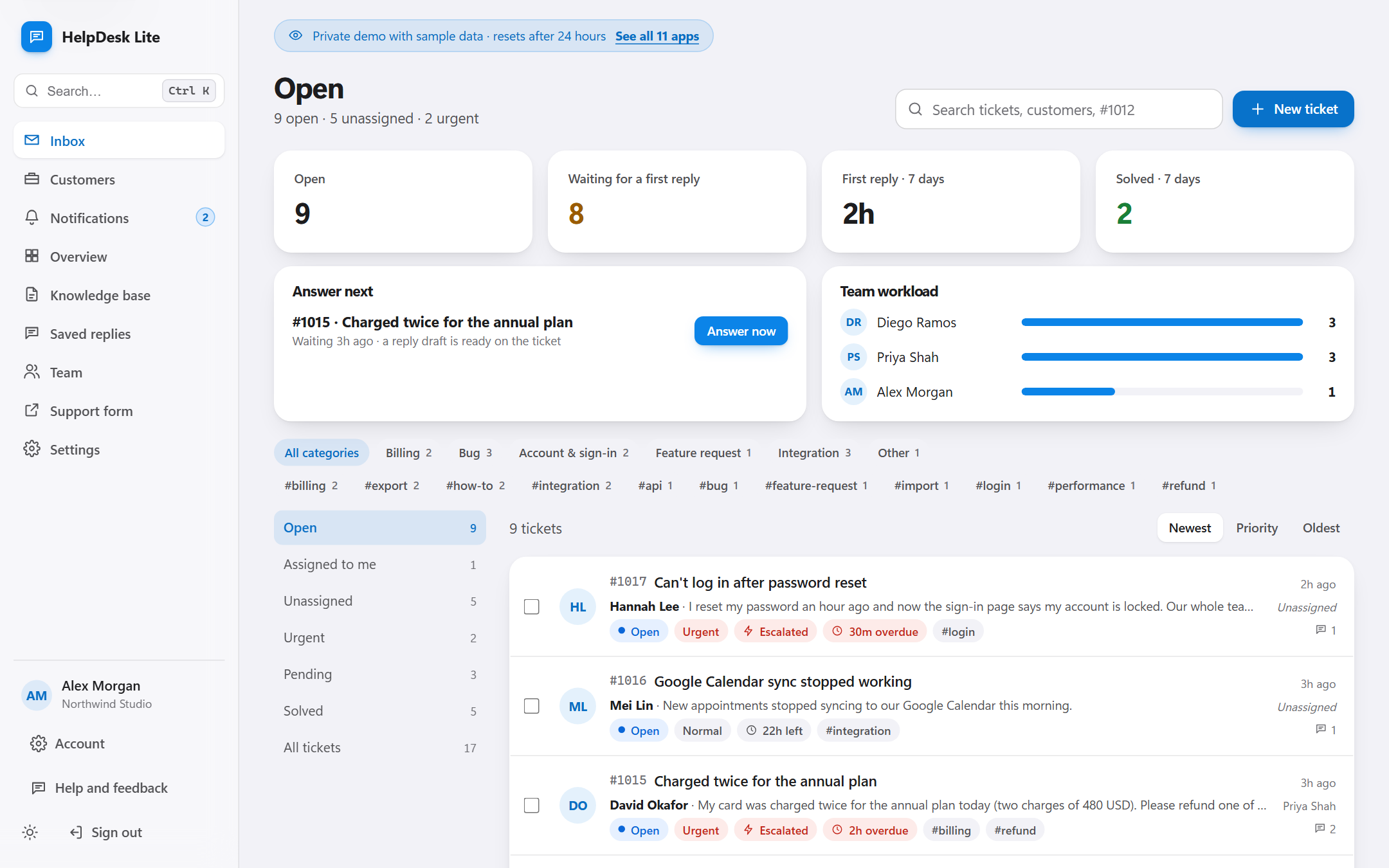
One shared inbox for support tickets. Reply, add private notes, assign teammates and never miss a deadline.
No sign-up needed for the demo · your own private sample workspace
- Small support teams
- Shared-inbox users
- Founders who answer customers
How it works
- 1Customer writes in
- 2Ticket shows past answers
- 3You send a reviewed reply
- 4Late tickets escalate
What it does
Shared inbox
Smart views: open, mine, unassigned, urgent.
AI-drafted replies
One click drafts a reply from the conversation.
Response targets
Each priority has a first-reply target.
Assign the team
Assign tickets, see each agent's open work and what they solved this week.
Customer form
A public support form and a private status page where customers can reply.
Overview
New vs solved per day, open tickets by priority and average first-reply time.
AI helps. You decide.
What the AI does
Drafts a reply, a summary and a priority.
What stays with you
Nothing is sent until you send it.
Works without an AI key too: a built-in method is used, and it says so.
Private by default
- Customers see only their own tickets.
- Your own private workspace; roles for owners, admins, members and viewers.
- Activity history of important changes.
- Download all your data, or delete your account, from the Account page.
Questions
Why was a ticket escalated?
It passed the first-reply target for its priority (set on Settings; by default urgent 1 hour, high 4, normal 24, low 48) and the team was notified.
Can customers see internal notes?
No. Notes and their files are visible to the signed-in team only.
Are replies emailed to customers?
Not yet: email is connected at launch. Customers see replies on their ticket page.
See HelpDesk Lite with real sample data.
One click. Your own private demo. Nothing to install.